MakamHost Desktop
The hotel panel installed on your computer. The same screens, faster startup, direct printer support.
Version 0.1.1 · 144.1 MB · Free
Installation
- 1
Download the installer
The file for your operating system downloads to your computer (about 150 MB).
- 2
Run the file
No administrator rights needed — it installs for your user only. Setup takes under a minute.
- 3
Sign in with your hotel account
The e-mail and password you use in the web panel work here too; no separate account needed.
Windows — If “Windows protected your PC” appears
Windows shows this warning for programs that have not been downloaded widely yet. Click More info and then Run anyway. The warning disappears by itself as the download count grows.
Linux — If the AppImage does not run
You need to make the file executable: chmod +x MakamHost-*.AppImage. Then run it by double-clicking or from a terminal. For the .deb package: sudo apt install ./MakamHost-*.deb
MakamHost for guests
Search hotels, see rooms and prices, follow your reservations. Free.
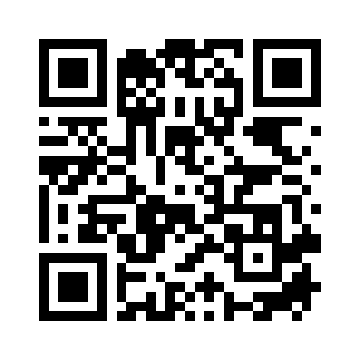
Scan it with your phone camera — this page opens on the phone.
Mobile requirements
- Android 7.0 (API 24) or later
- About 80 MB of free space
- Internet connection
System requirements
Windows
- Windows 10 or 11 (64-bit)
- 4 GB RAM (8 GB recommended)
- 500 MB free disk space
Linux
- Ubuntu 20.04+ / Debian 11+ or an AppImage-capable distribution
- 500 MB free disk space
The macOS build is in preparation. If you use a Mac, the web panel works in the browser — every feature is there.
A constant internet connection is required on every platform.
Frequently asked
- Why is the mobile app not on Google Play?
- The Play review is still in progress. Until it completes you can download the app directly from here — same app, same signature. When the Play release lands, installs from here migrate without issue.
- Does the app installed from the site update itself?
- No — automatic updates are specific to the Play Store. Instead, when a new version is released you see a banner inside the app and download the new file with one tap. Automatic updates start once we move to Play.
- Can I book from the mobile app?
- Yes. You pick the hotel and room in the app; when you tap “Book”, the payment step completes on a secure web page. Your dates and guest count carry over, so you do not fill the form again.
- Is there an iPhone version?
- In preparation. Because iOS apps can only be installed through the App Store (Apple does not allow sideloading) we are waiting for review approval. In the meantime you can use the web panel from an iPhone.
- How is it different from the web panel?
- The screens are identical. The difference is in desktop-specific work: invoices and registration cards go to the printer in one click (no browser print dialog), PDF output is saved straight to a folder, and the app updates itself.
- Does it work without internet?
- No. The app reads your data from MakamHost servers; it was not designed for offline use. It warns you when the connection drops and resumes where it left off.
- On how many computers can I install it?
- No limit. Front desk, accounting, housekeeping — install it on every computer your staff use. Permissions still follow the user role.
- How do updates arrive?
- On startup the app checks for a new version, downloads it in the background if there is one and installs it on the next launch. Nothing for you to do.
Have another question? See pricing or open a free account.